MaintainX
Frontline maintenance ran on paper. That doesn't scale.
- Role
- Senior Product Designer · First design hire
- Timeline
- May 2020 – Apr 2022
- Team
- First designer on a 6-person team; grew design to 2
- Tools
- Figma, FigJam
Problem
Frontline maintenance teams ran on paper checklists that couldn't be standardized, audited, or acted on.
What I did
Joined as the first designer. Designed the procedure builder and field experience, built the early design system, and moved the team from Sketch to Figma.
Outcome
Procedures became structured, reusable data: scored inspections that trigger follow-up work, shared across every site from one global library.
01 — Overview
Overview
This wasn't about making paper look like an app. It was about giving frontline teams — the people actually keeping equipment running and workplaces safe — a system precise enough for compliance, standardized enough to trust everywhere, and simple enough to actually get used every single day, gloves and all.
MaintainX is a CMMS — maintenance and asset management software — for the people keeping factories, hotels, and facilities running: technicians doing inspections, preventive maintenance, safety checks. For decades, the instructions guiding that work lived on paper: SOPs, checklists, inspection sheets, often specific to one site, rarely updated, and impossible to standardize across a company with multiple locations.
02 — My role
My role
I joined MaintainX as its first product designer, on a team of six. There was no design process, no component library, and no one to hand anything off to. Over two years I designed core product surfaces like the procedure builder, set up the early design system, led the move from Sketch to Figma, and helped grow design to a team of two while the company scaled past 200 people. This case study focuses on procedures, the part of the product I spent the most time shaping.
03 — Not just "digitize a checklist." Build the system underneath it.
Not just "digitize a checklist." Build the system underneath it.
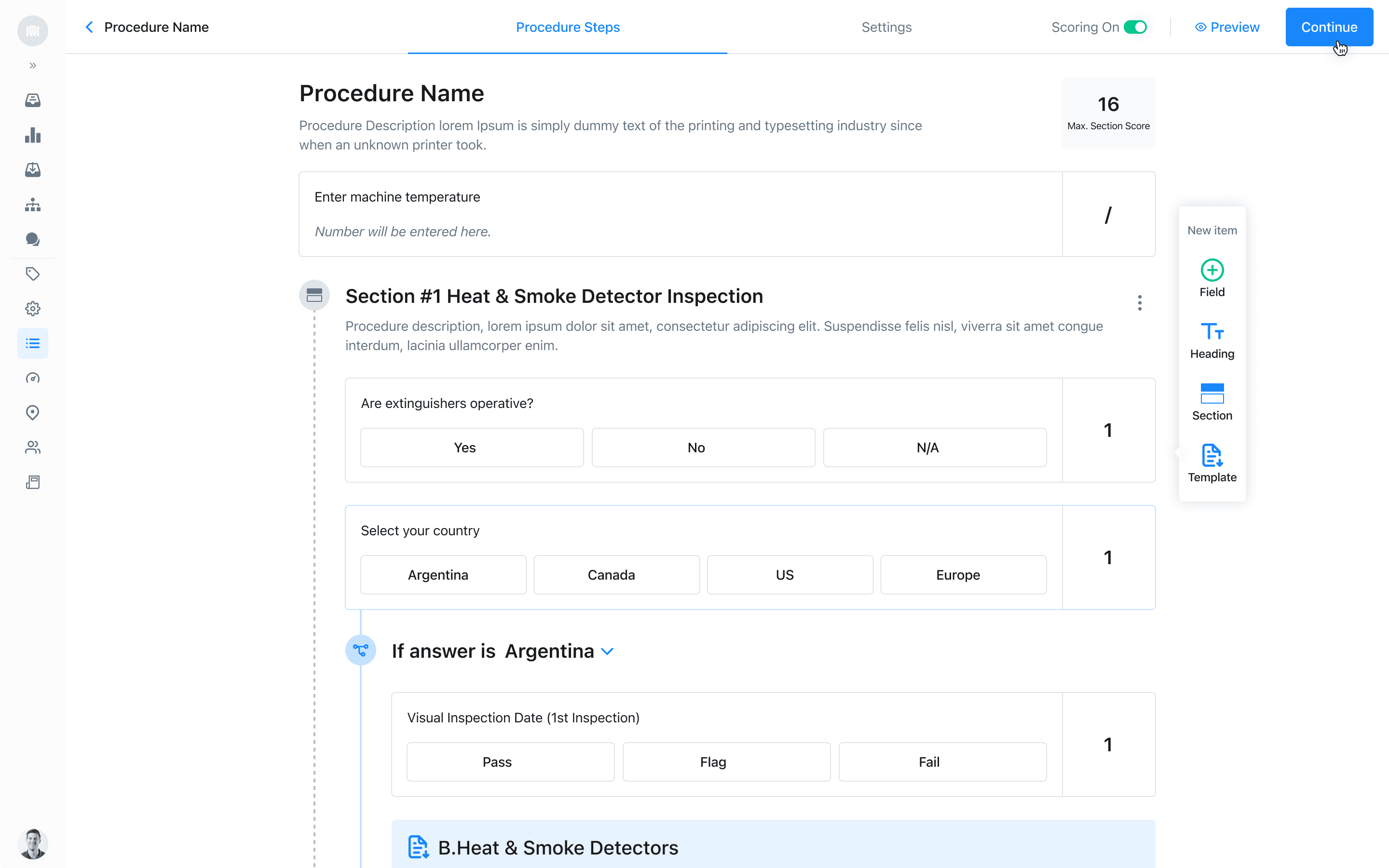
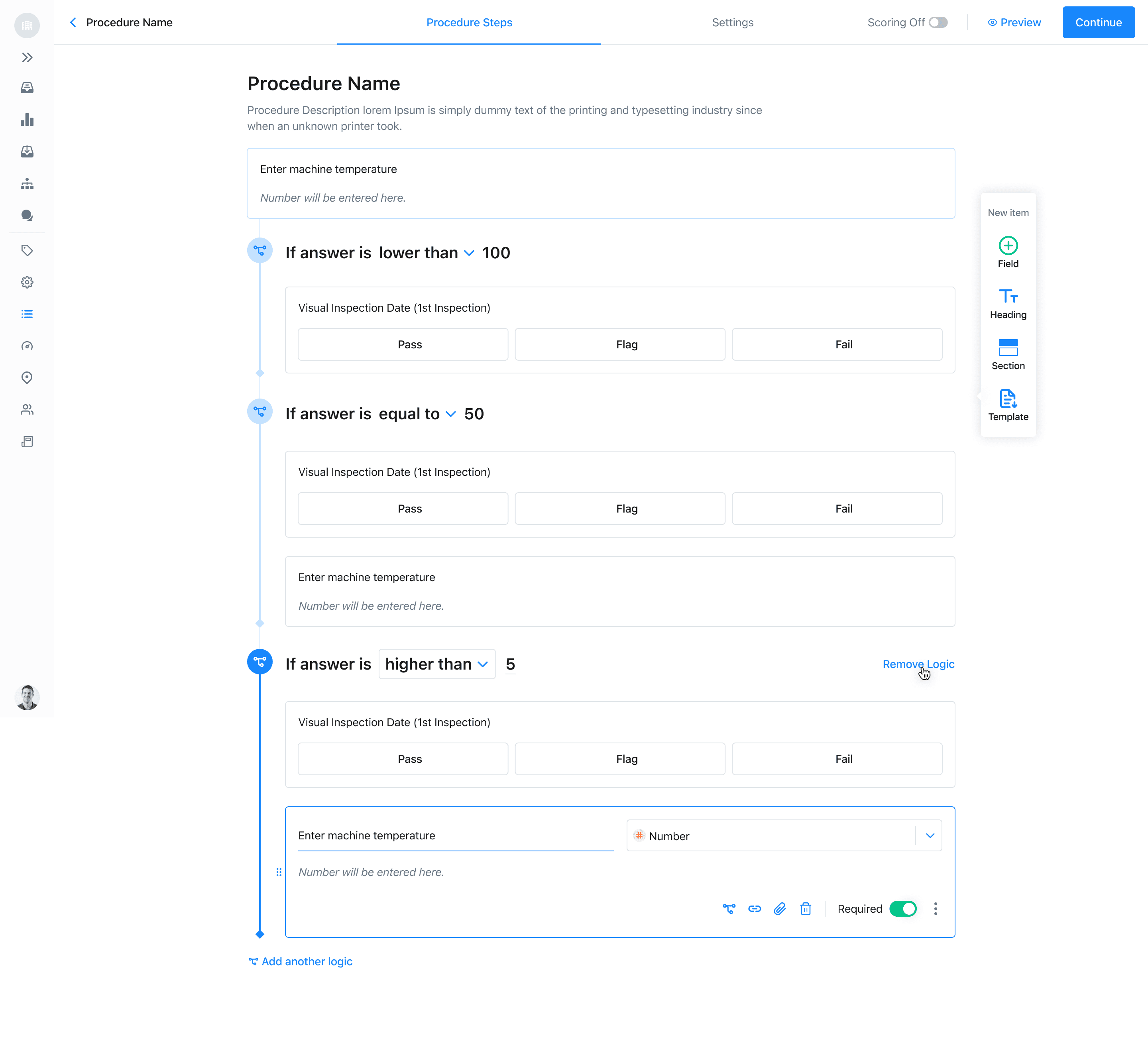
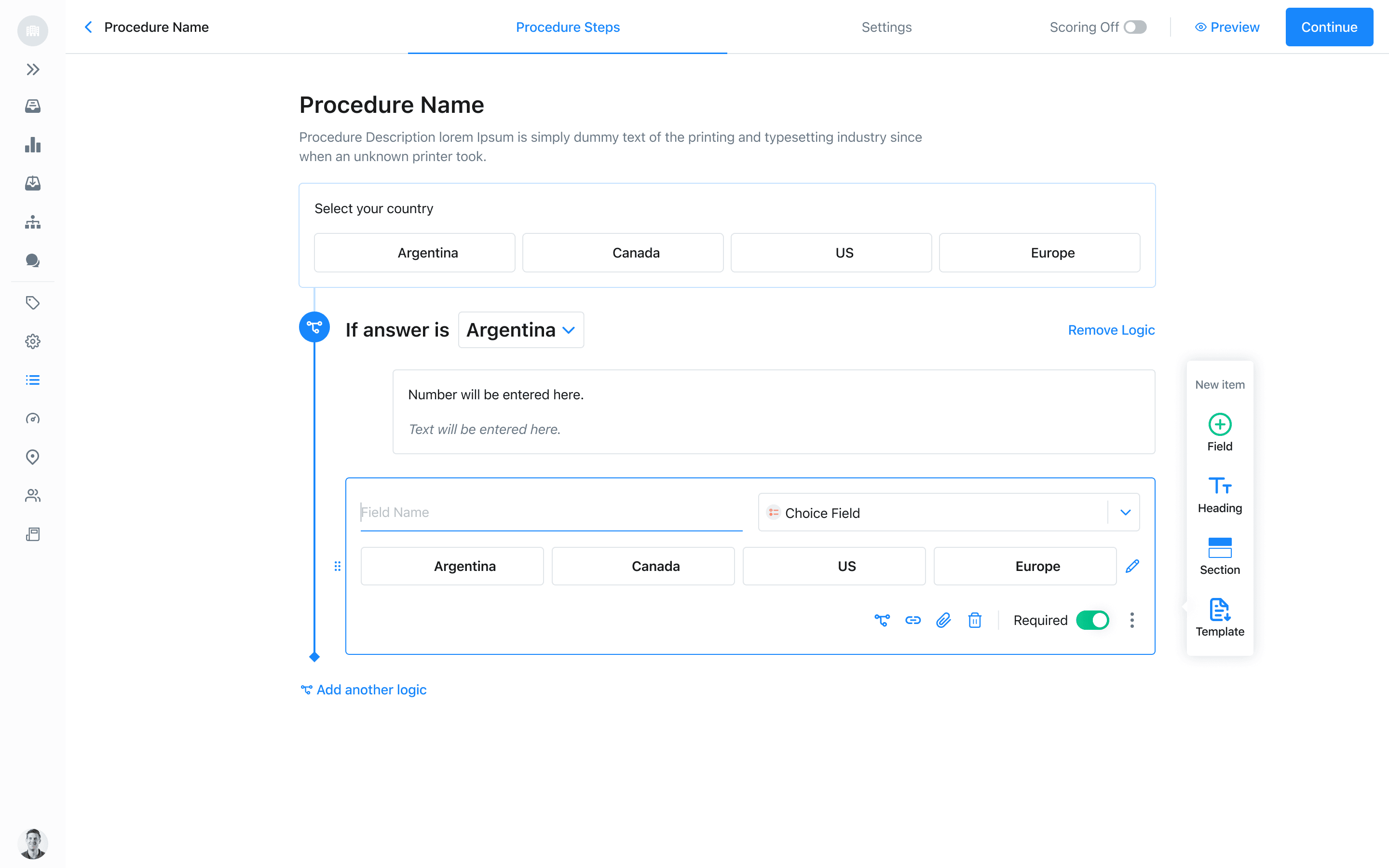
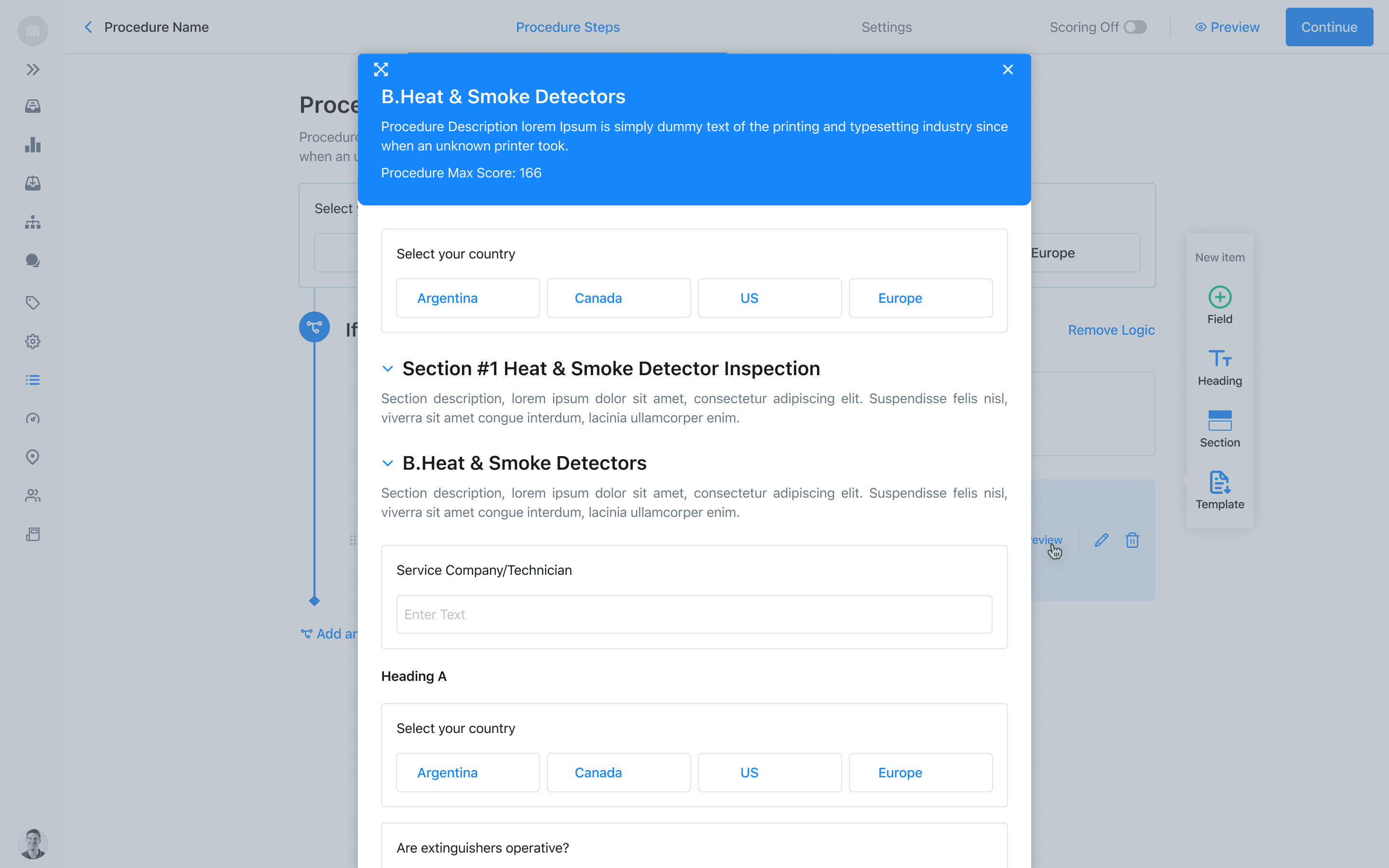
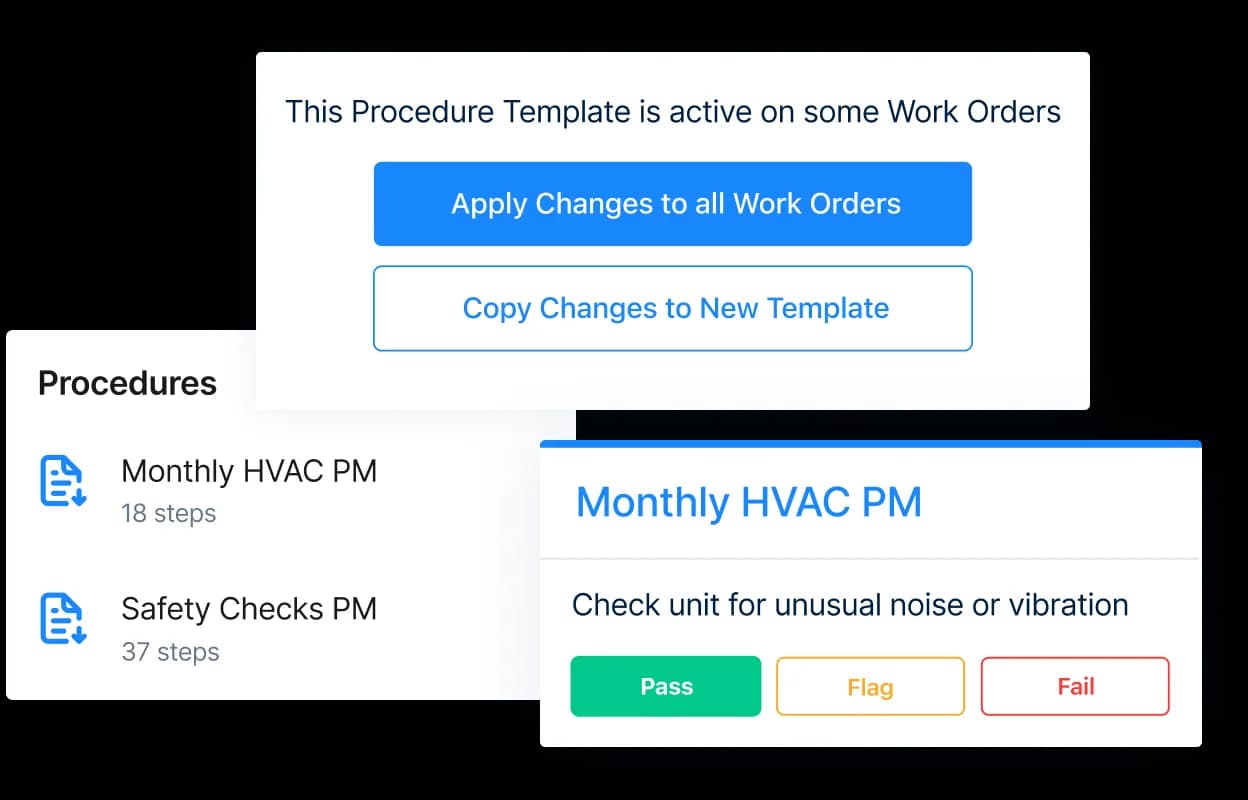
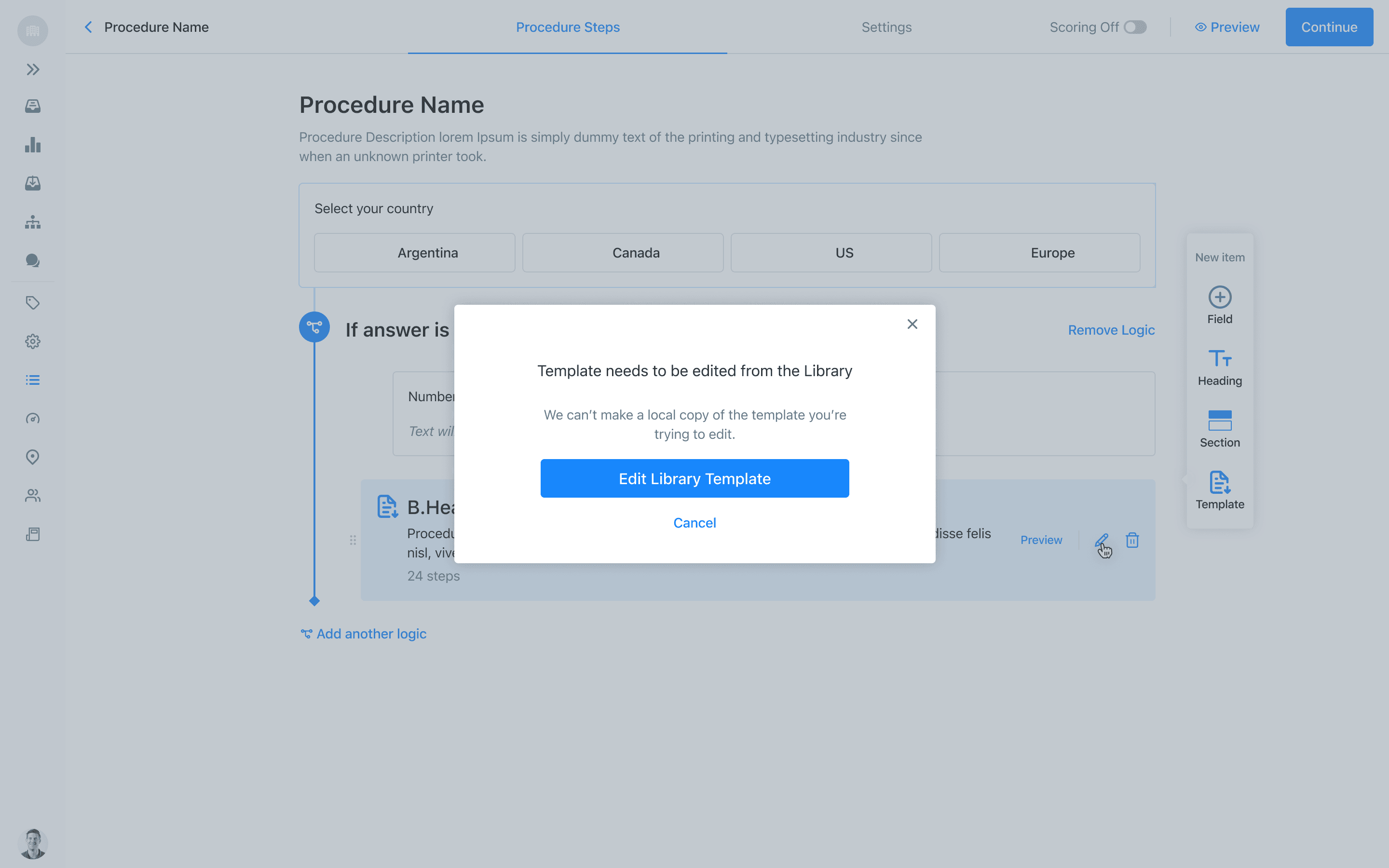
A procedure needed to be more than a PDF on a phone. It had to support real structured data: checkboxes, multiple choice, inspection checks, conditional logic, and scoring — so a completed procedure could actually do something. If an inspection score came back too low, the system could automatically trigger a corrective action, instead of a bad result quietly sitting in a filing cabinet until something broke.
04 — Three ways this showed up in the real world
Three ways this showed up in the real world
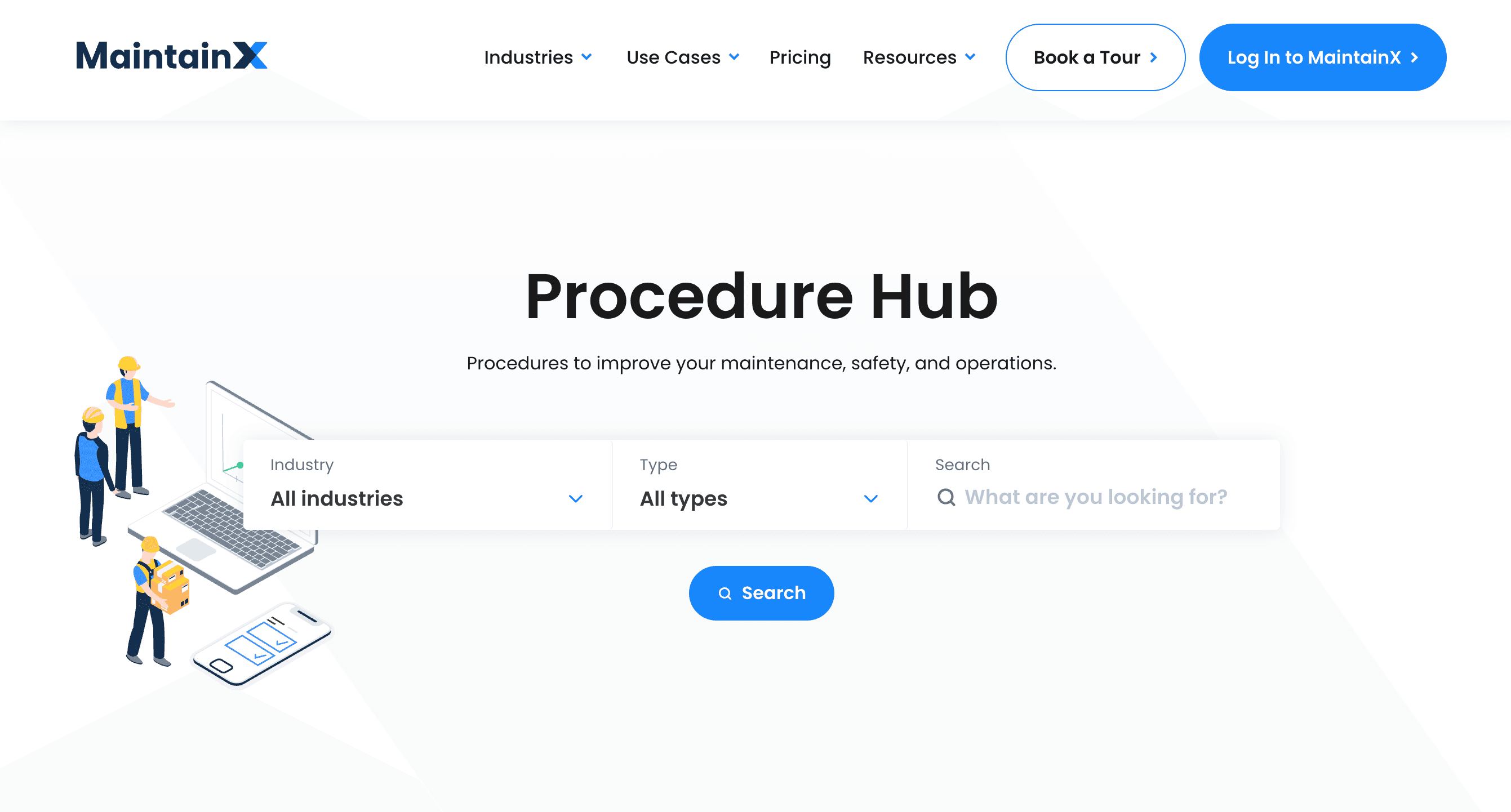
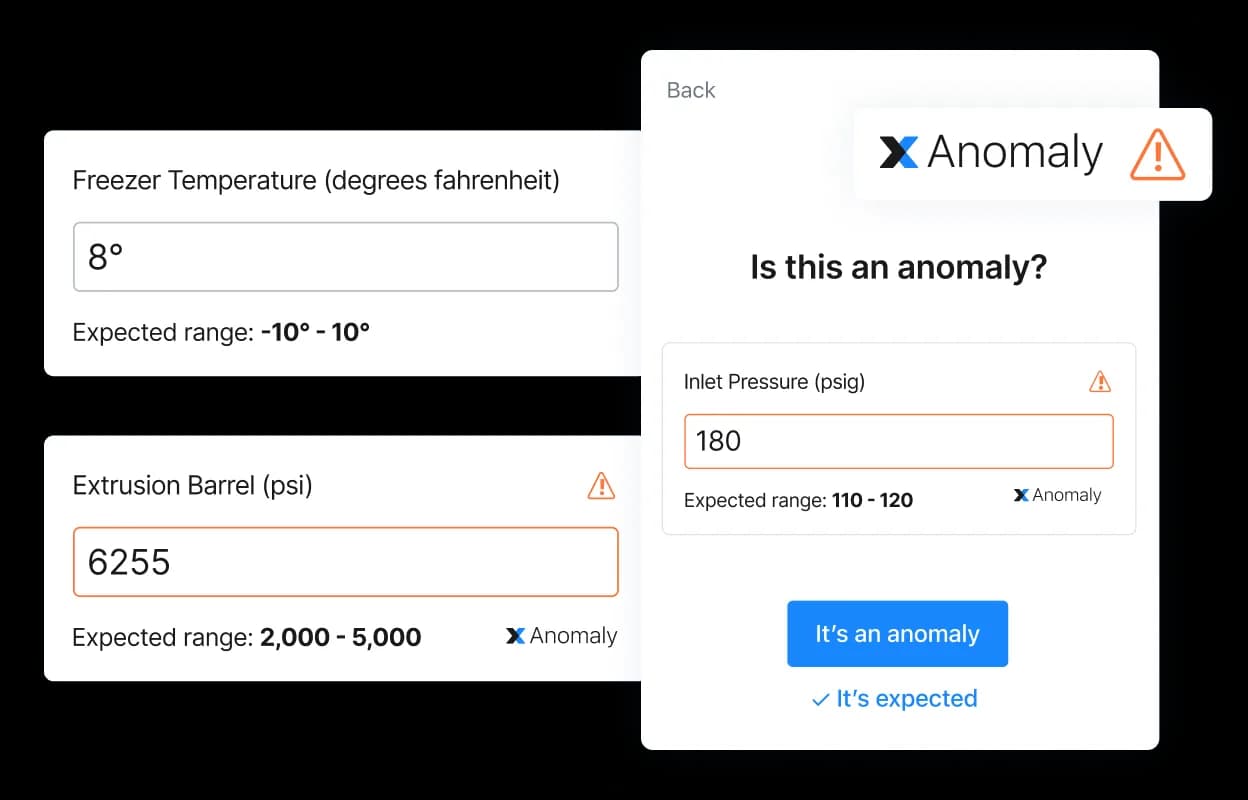
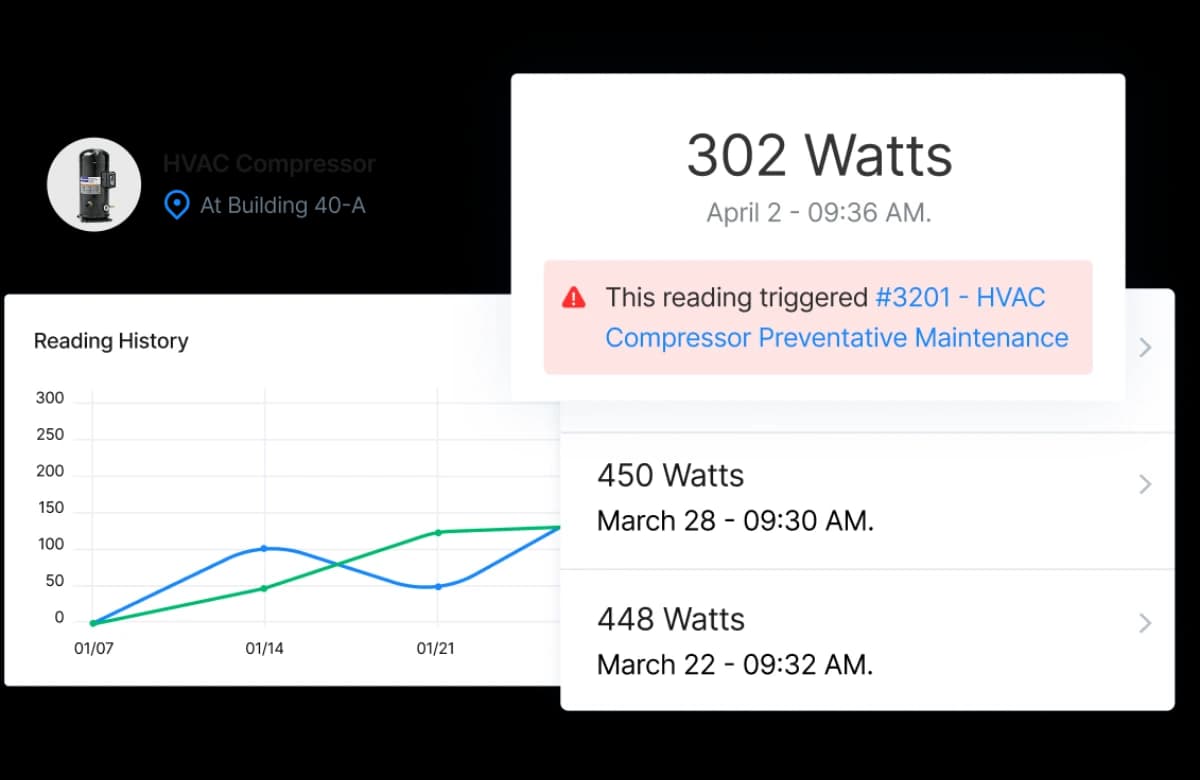
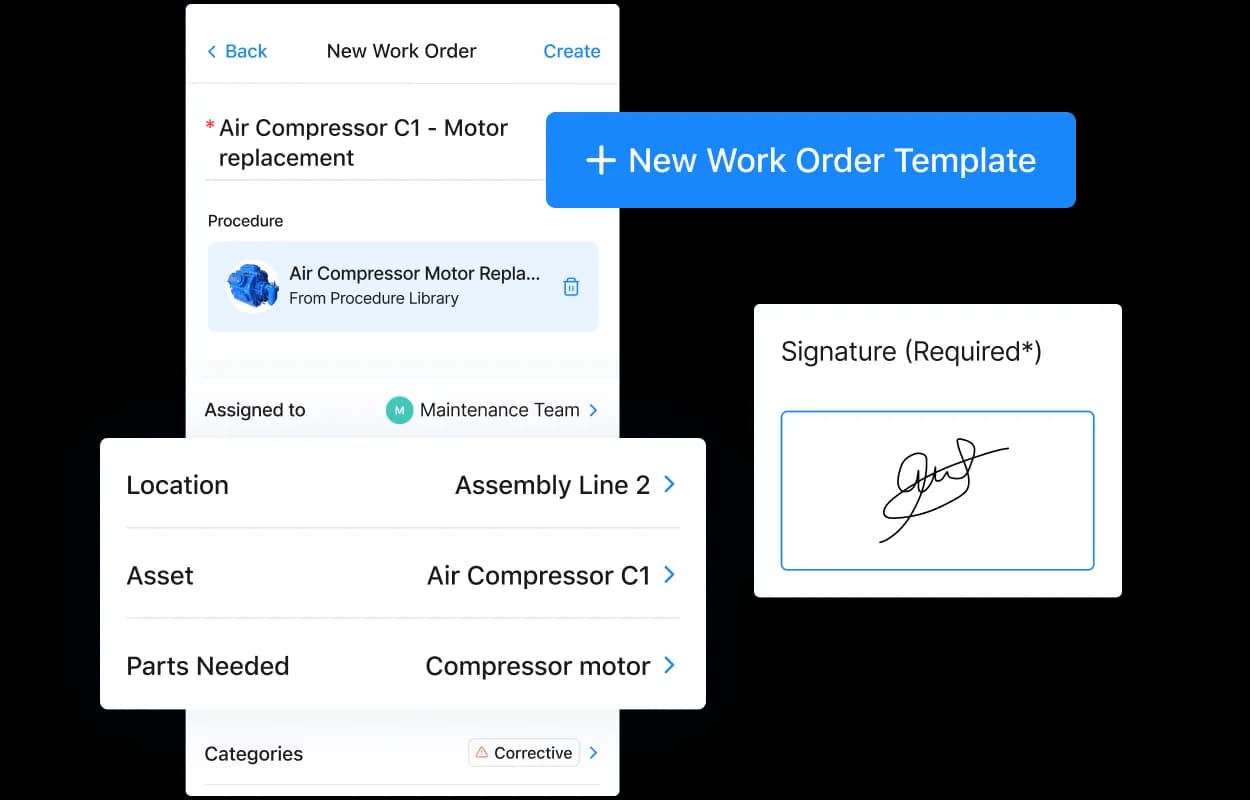
Preventive maintenance — scheduled, recurring inspections designed to catch a failure before it causes downtime. The procedure had to make it obvious, in the moment, whether a reading was in range — and automatically flag what needed to happen next if it wasn't.
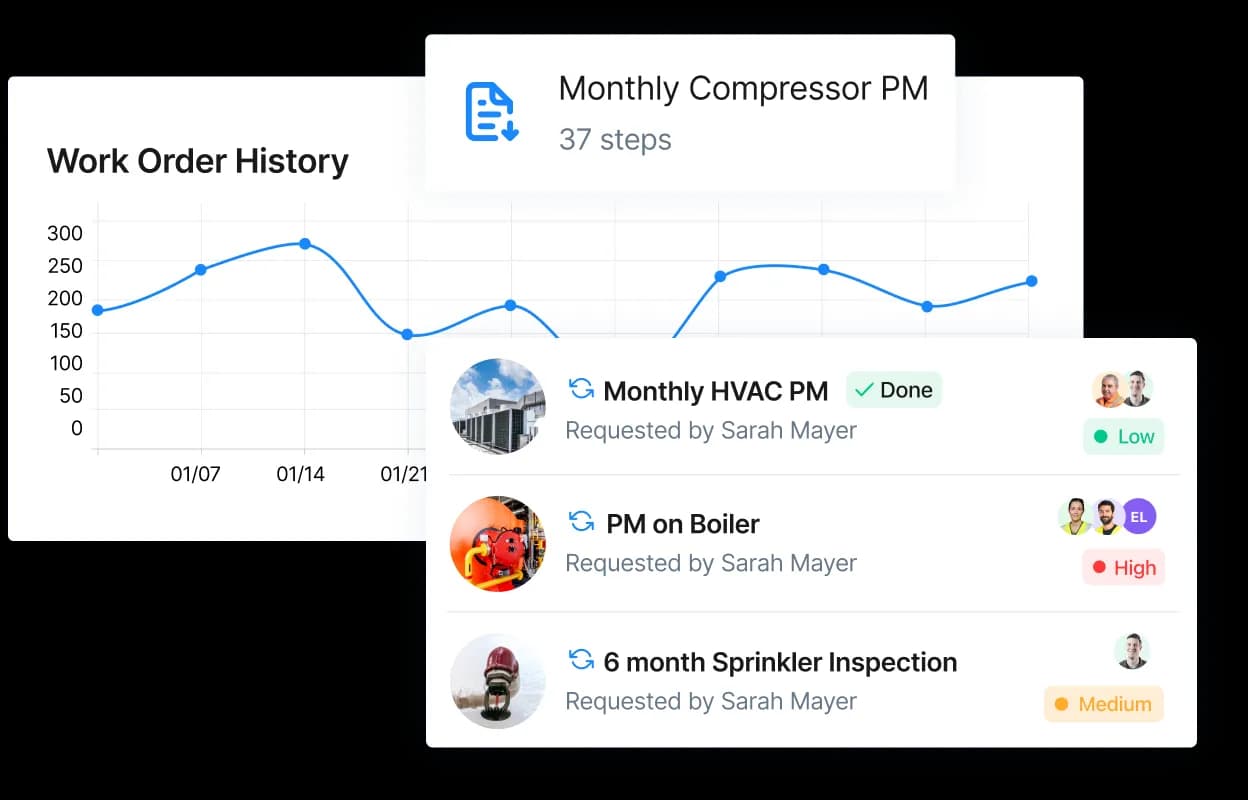
Checklists & inspections — safety and regulatory compliance work, where the procedure itself becomes the audit trail. Every checkbox and signature had to be trustworthy enough to hold up if a regulator ever asked for it.
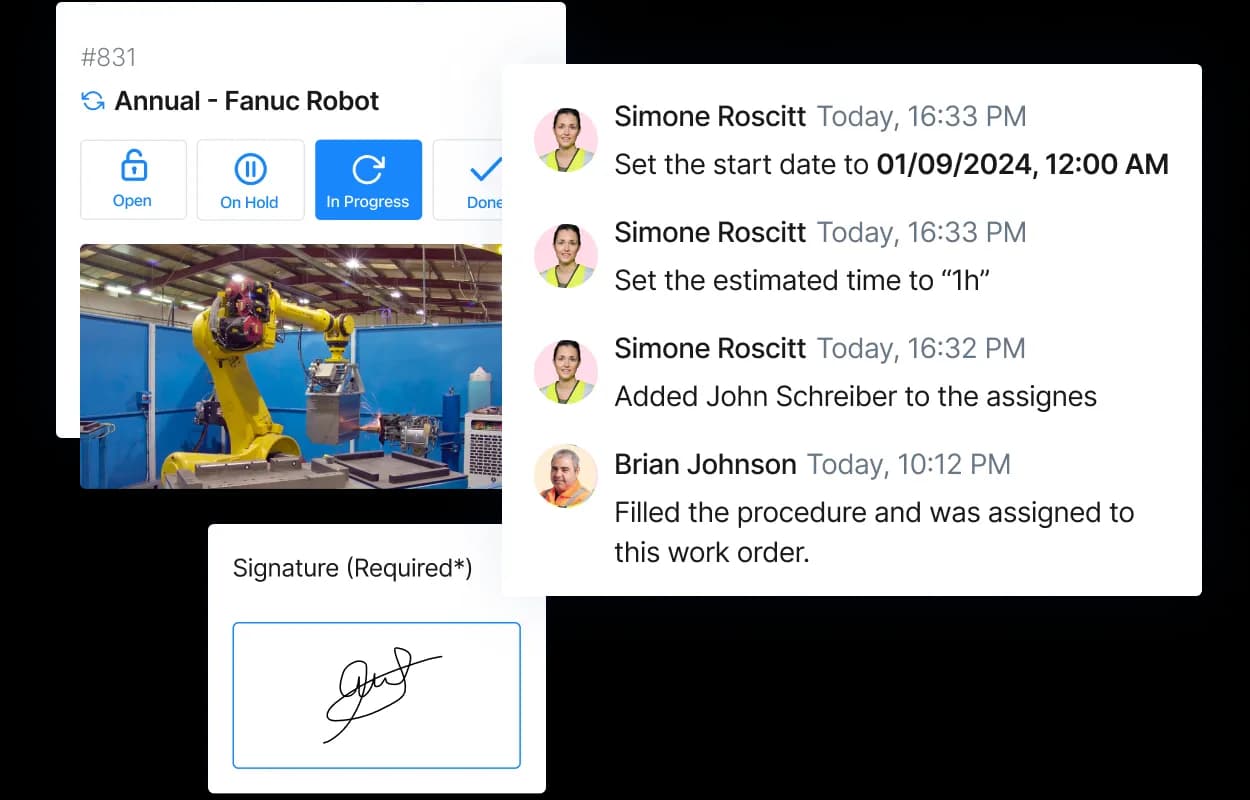
Facility management — the same procedure engine, applied to the day-to-day work of keeping a building running, not just industrial equipment.
05 — Designed for a technician, not a desk
Designed for a technician, not a desk
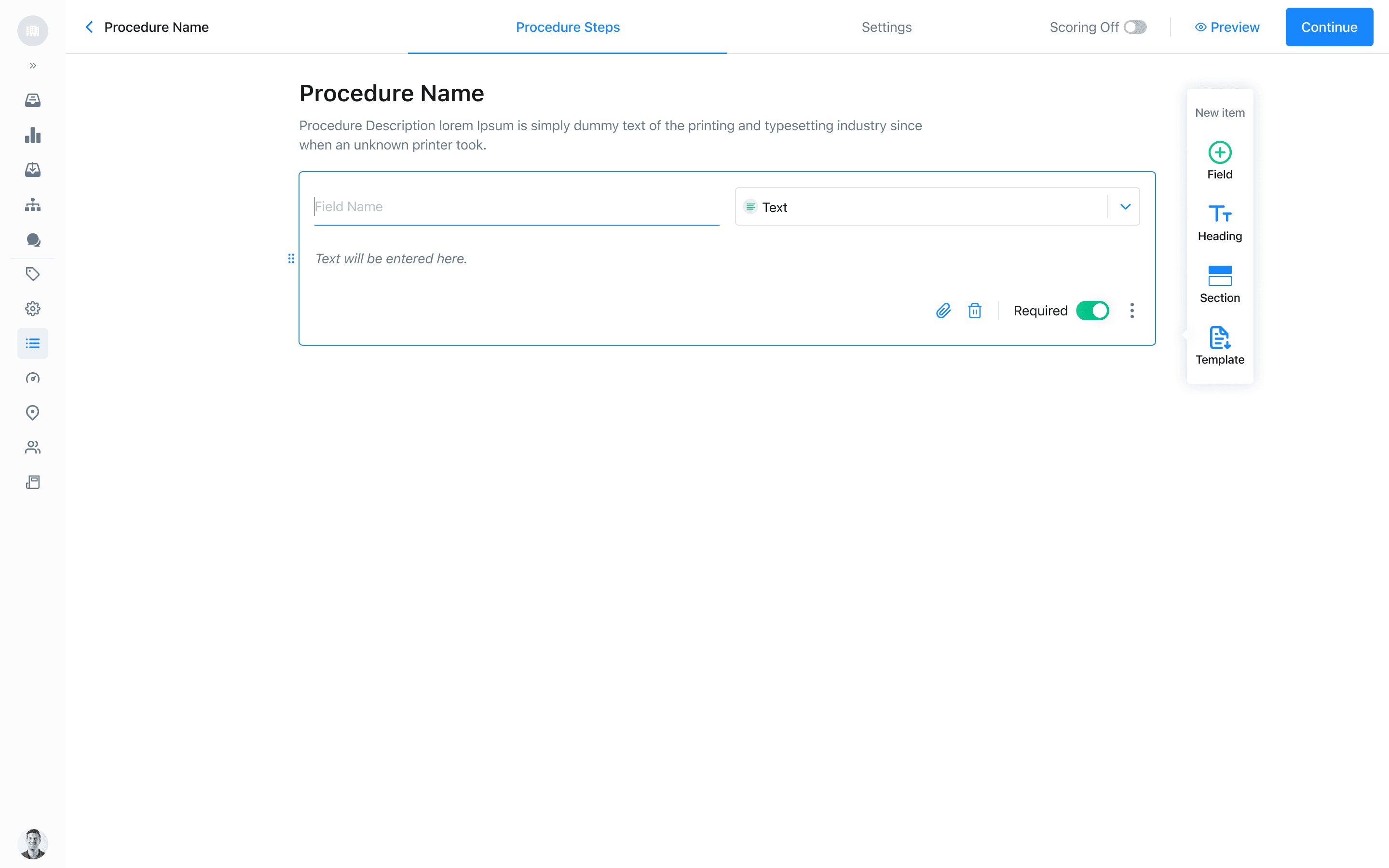
Every one of these had to work for someone standing at a machine, often wearing gloves, mid-task — not sitting at a computer. That constraint shaped everything: large tap targets, one clear action per step, minimal typing, and a flow that could survive being interrupted and picked back up.
06 — Built for standardization at scale
Built for standardization at scale
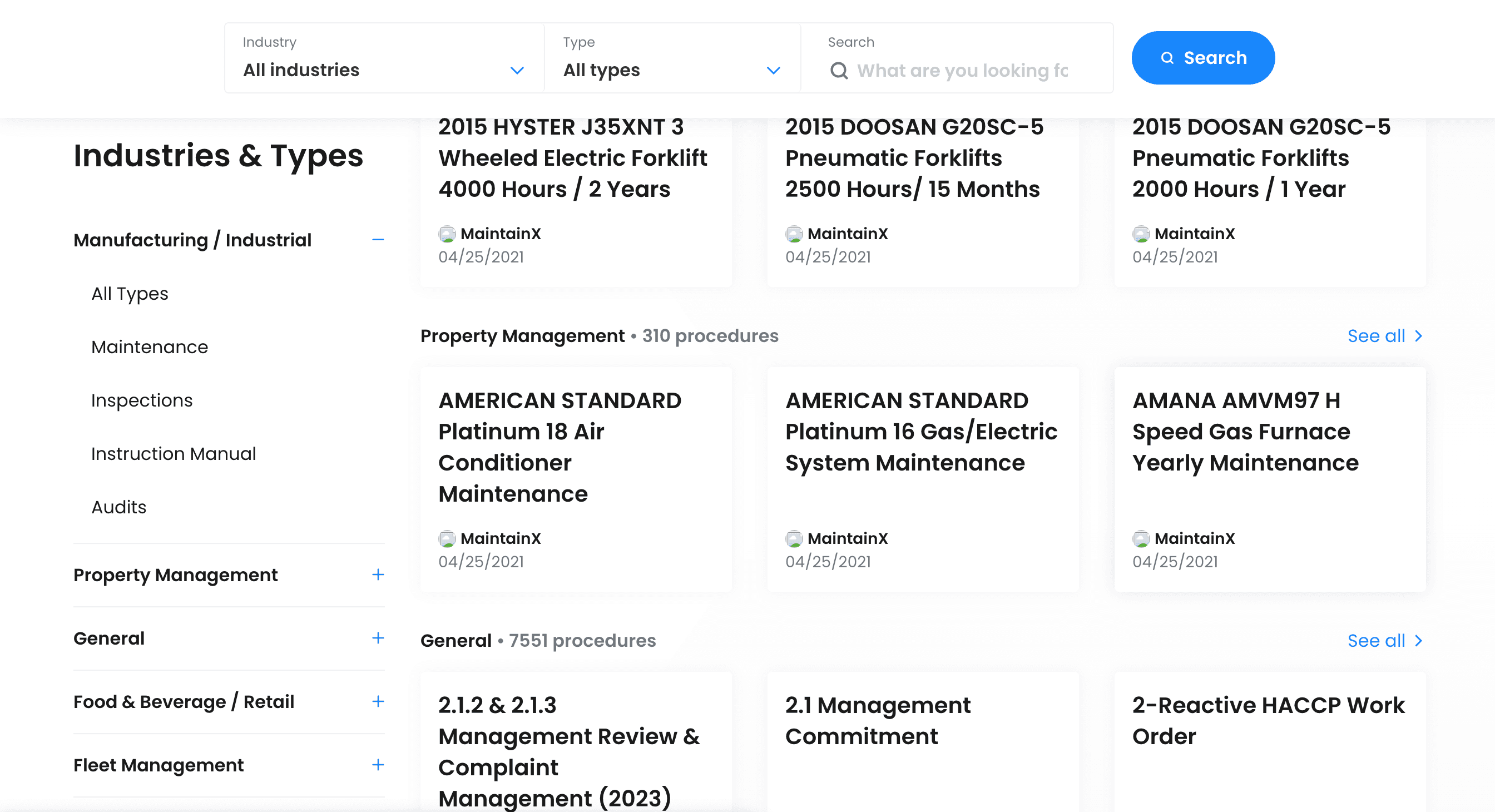
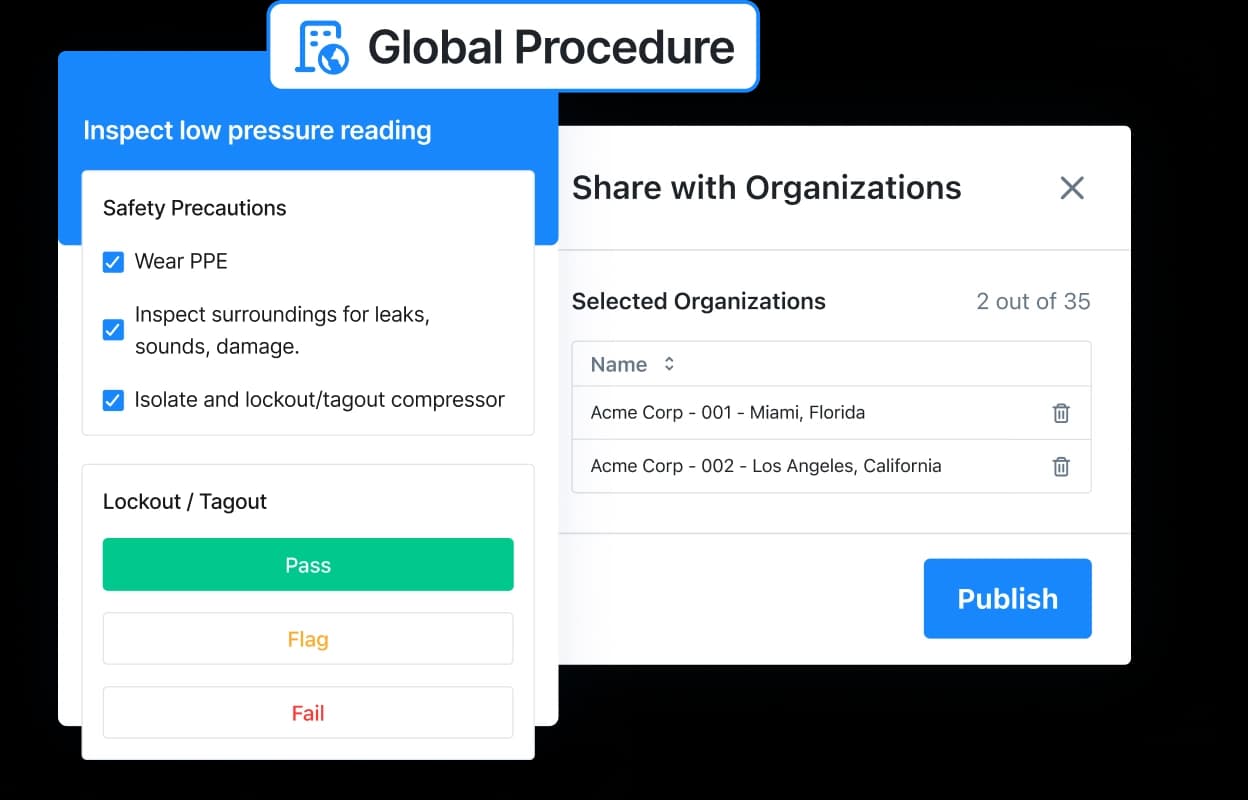
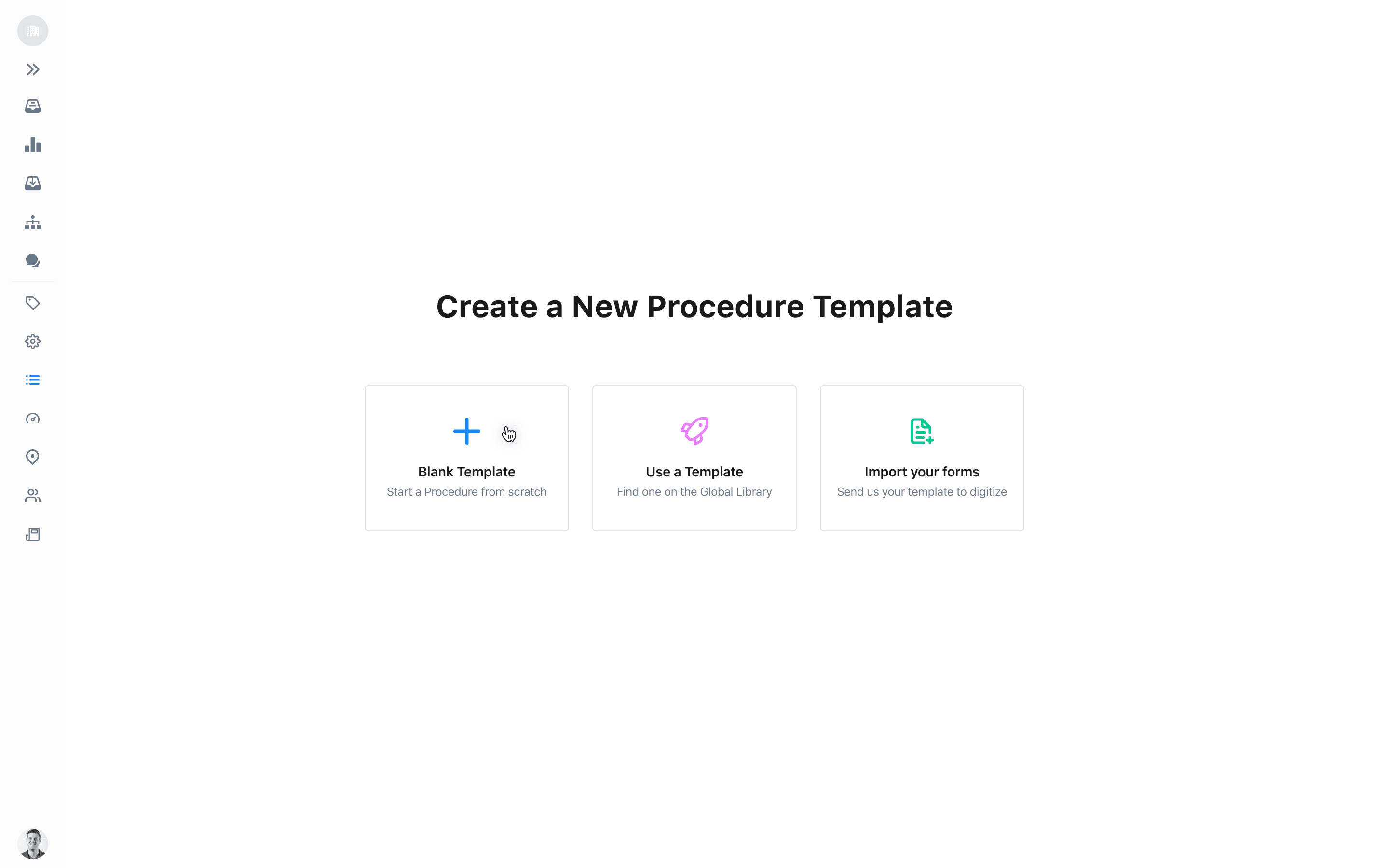
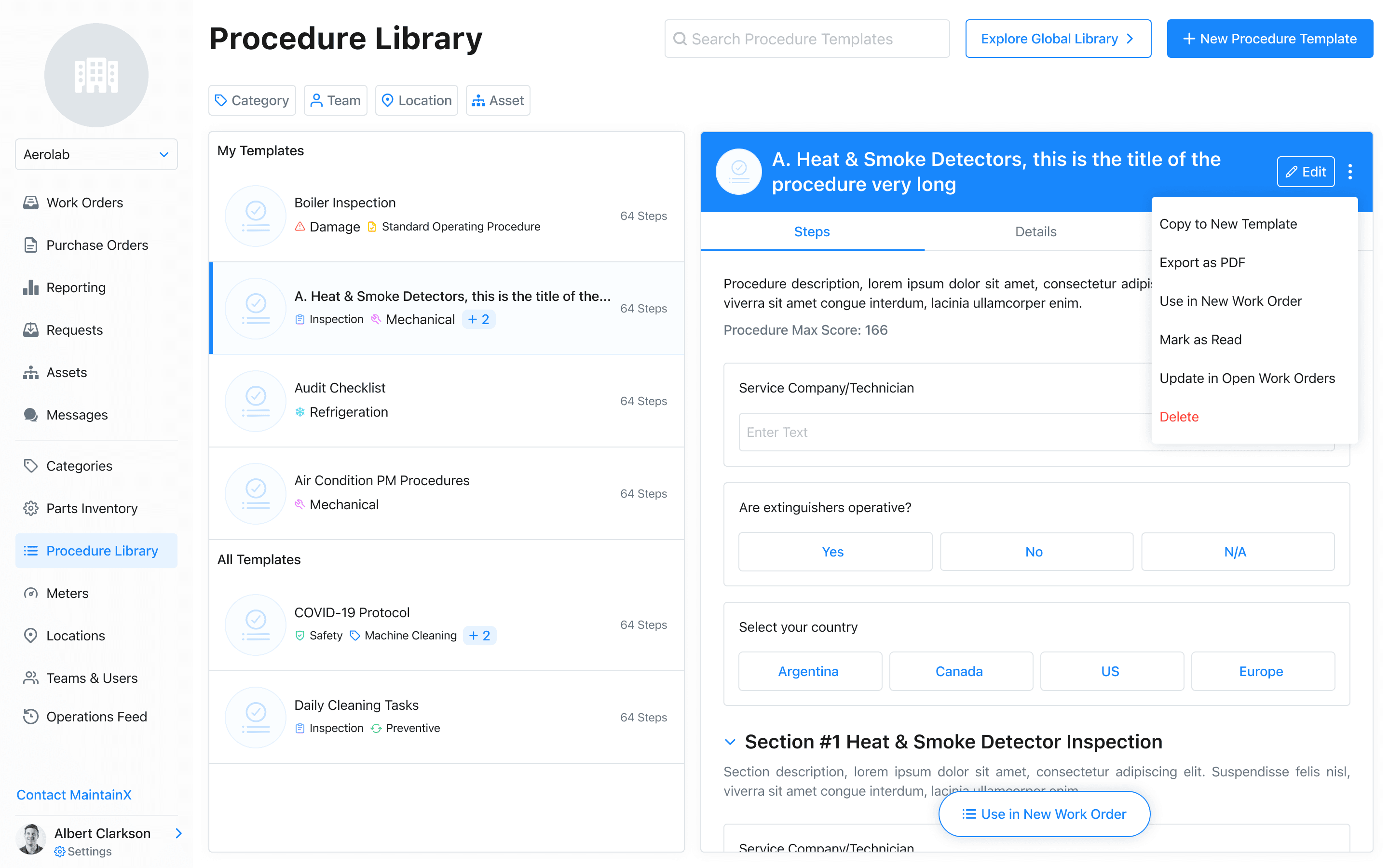
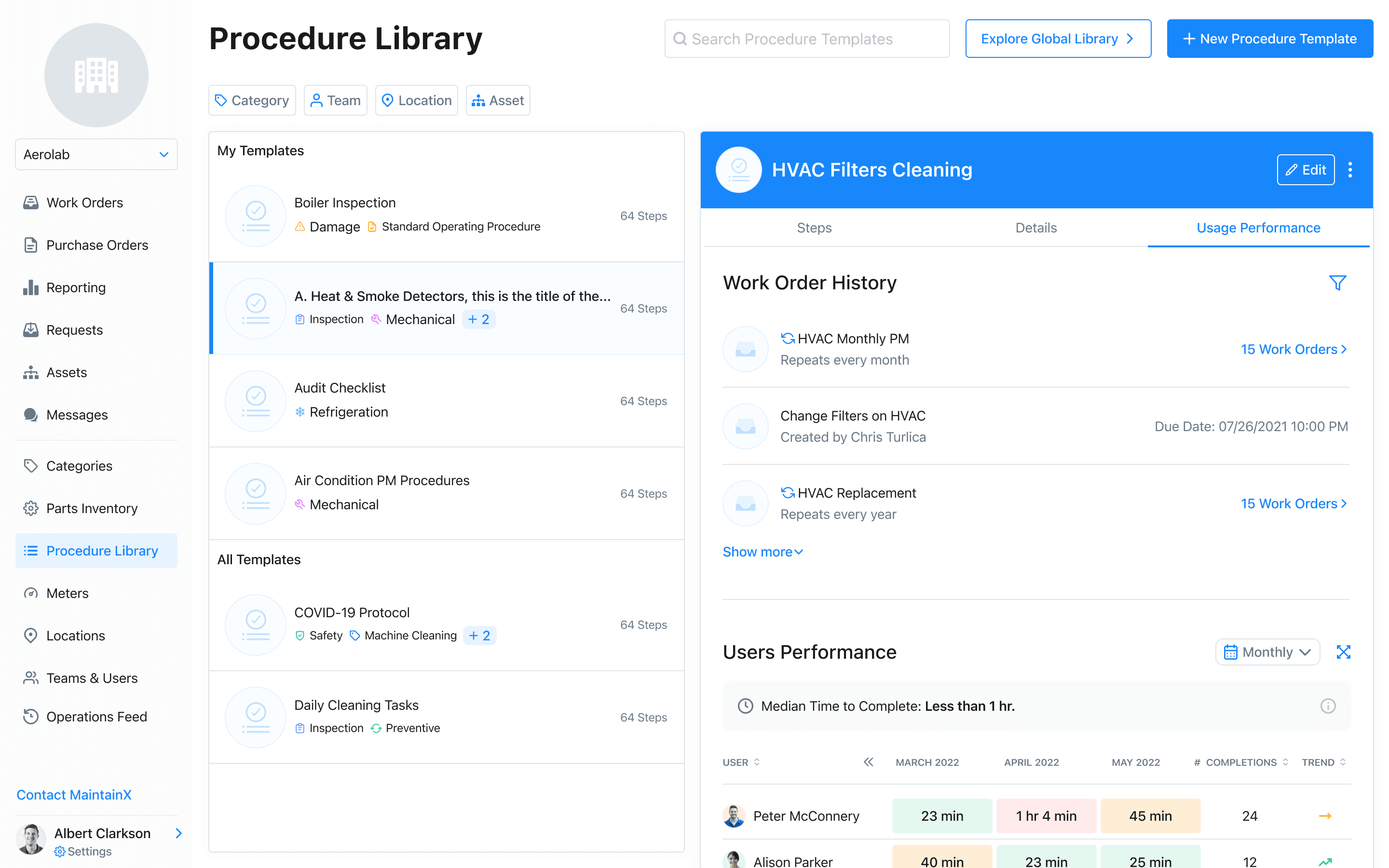
The bigger unlock was the Global Procedure Library: a single procedure, authored once by a safety manager or global leader, could be shared and reused across every site in an organization — instead of every location reinventing (and slightly misremembering) the same safety checklist.
07 — Designing for two very different moments
Designing for two very different moments
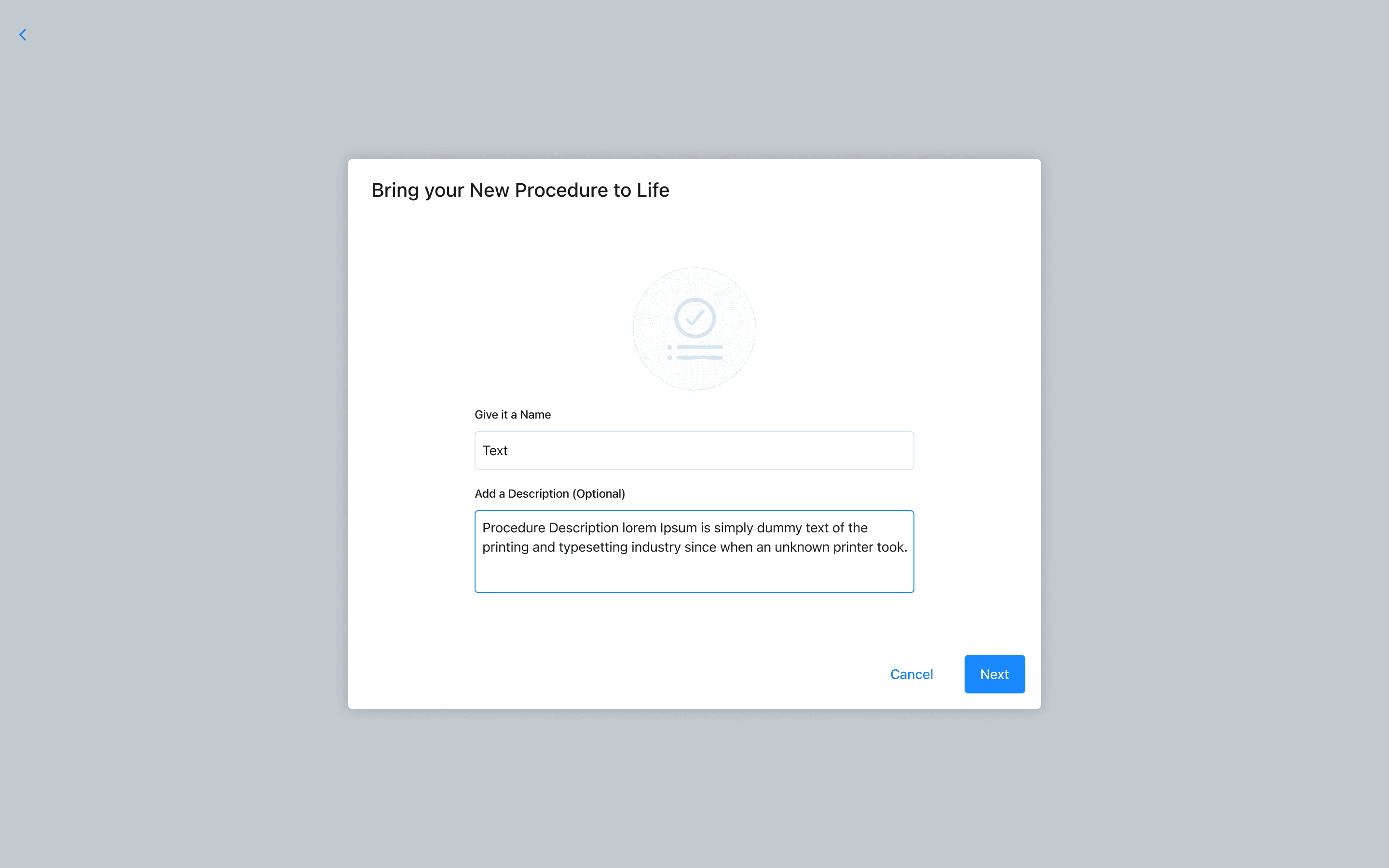
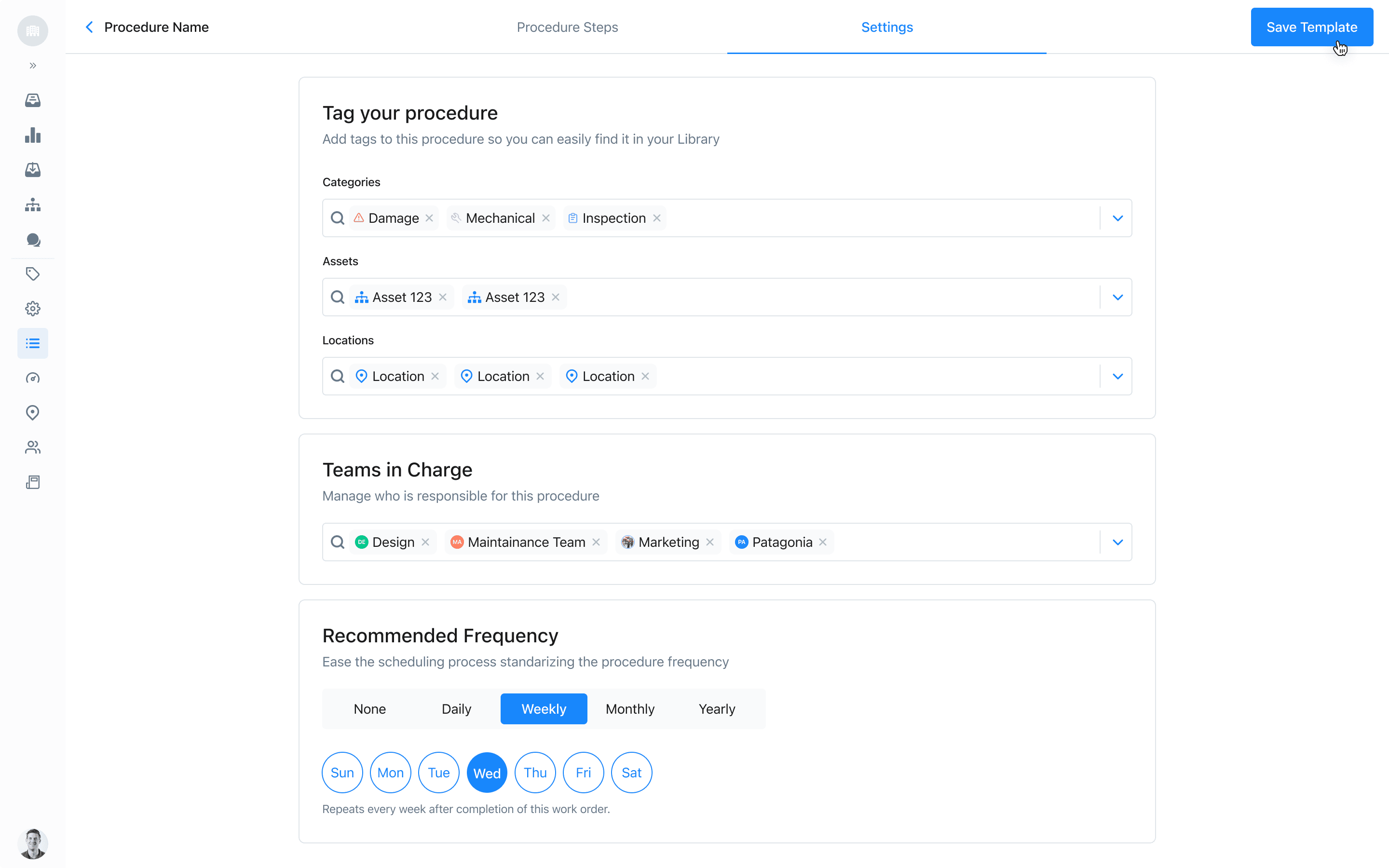
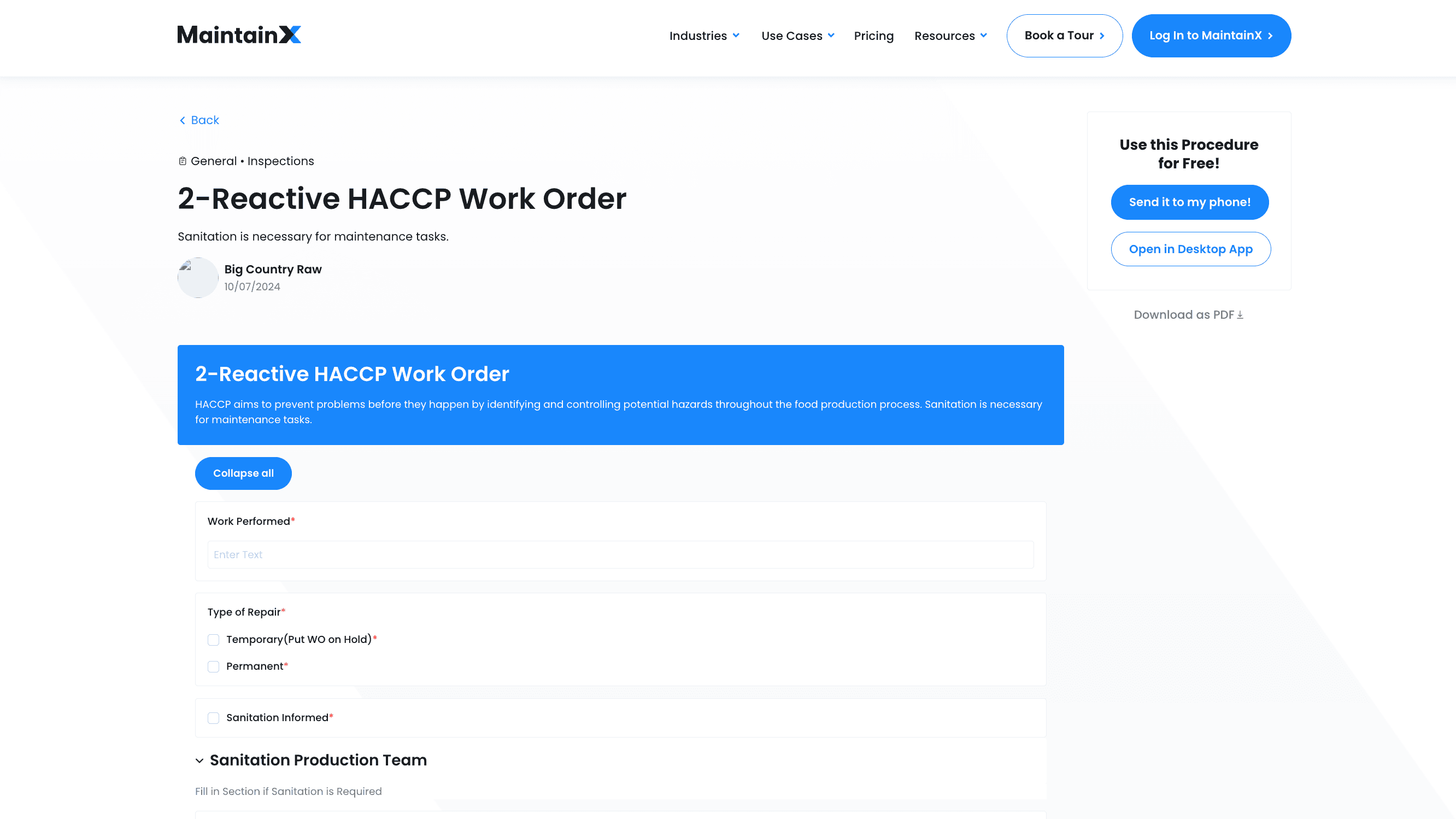
Creating a procedurethe authoring tool
This meant designing for two distinct experiences that had to feel like one connected system: creating a procedure — an authoring tool flexible enough to define precise, scoring-aware steps, without needing to think like a developer.
Running a procedurethe field experience
And running a procedure — a guided, step-by-step field experience, simple enough to complete accurately without slowing anyone down.
08 — Building design from zero
Building design from zero
Being the first designer meant the job was bigger than screens. I built the first shared components so engineers could ship consistent UI without waiting on me for every screen, moved all design work from Sketch to Figma so product and engineering could see and comment on work in one place, and set the habits the team grew into: how design gets reviewed, how specs get handed off, how decisions get documented. When the second designer joined, they started from a system, not a blank file.
09 — Reflection
Reflection
Outcome. Procedures went from static paper to structured data: scored, conditional, reusable across sites, and able to trigger the next piece of work on their own.
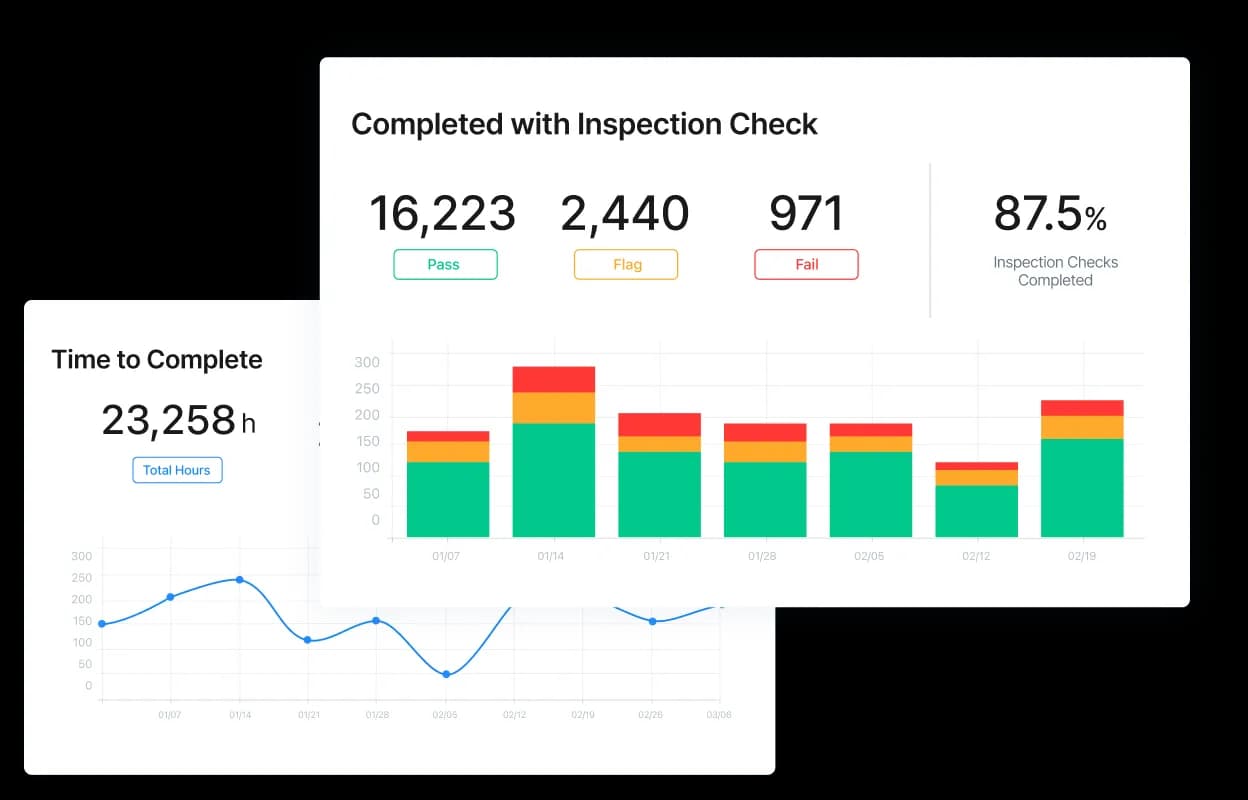
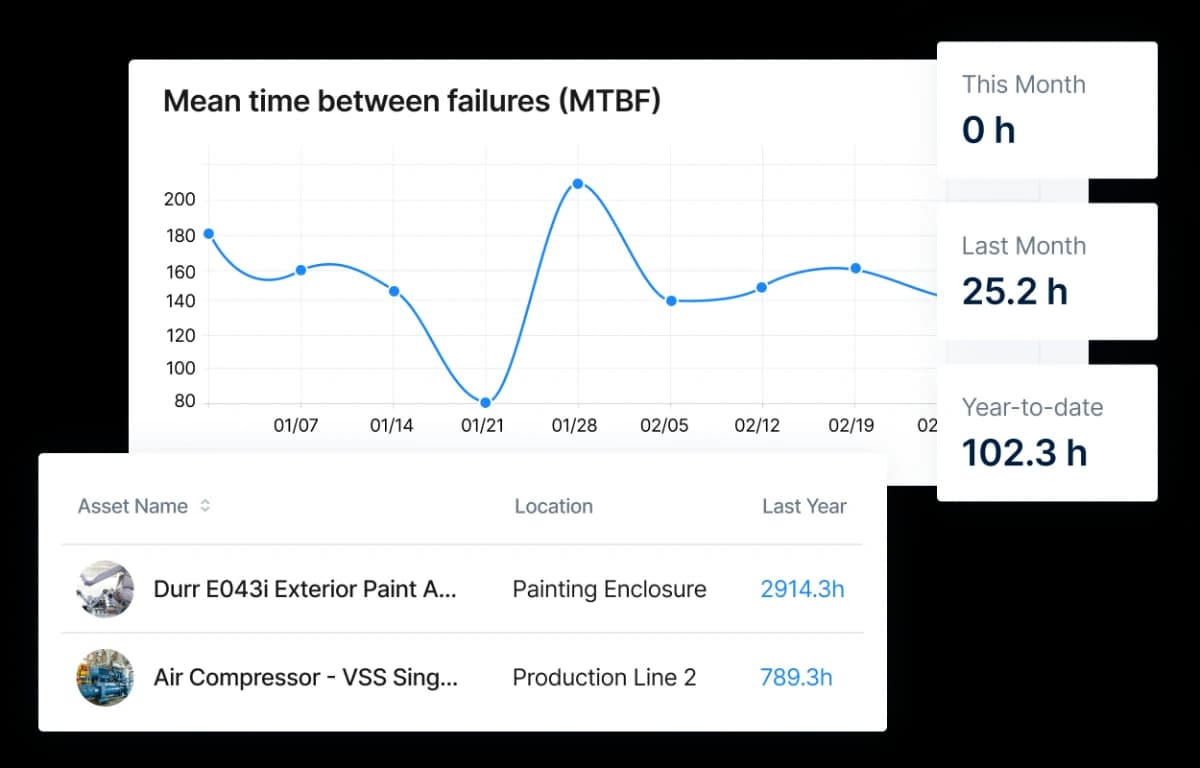
Reporting I designed so teams could see results, not just record them: inspection completion and scores, and mean time between failures per asset.
What I'd do differently
Treat the design system as its own project from day one. I built it alongside feature work, because that's what a six-person startup needed at the time. But the earlier a system exists, the less every new screen has to be reconciled with it later, and the faster a growing team can move without a designer in every conversation.